Research audit trail
A research audit trail for collaborative biotech teams
Molecule Labs records each file your team uploads along with who added it and when. Months later, when a funder or partner asks how a result came about, you can show them its history instead of piecing it together from inboxes and old folders.
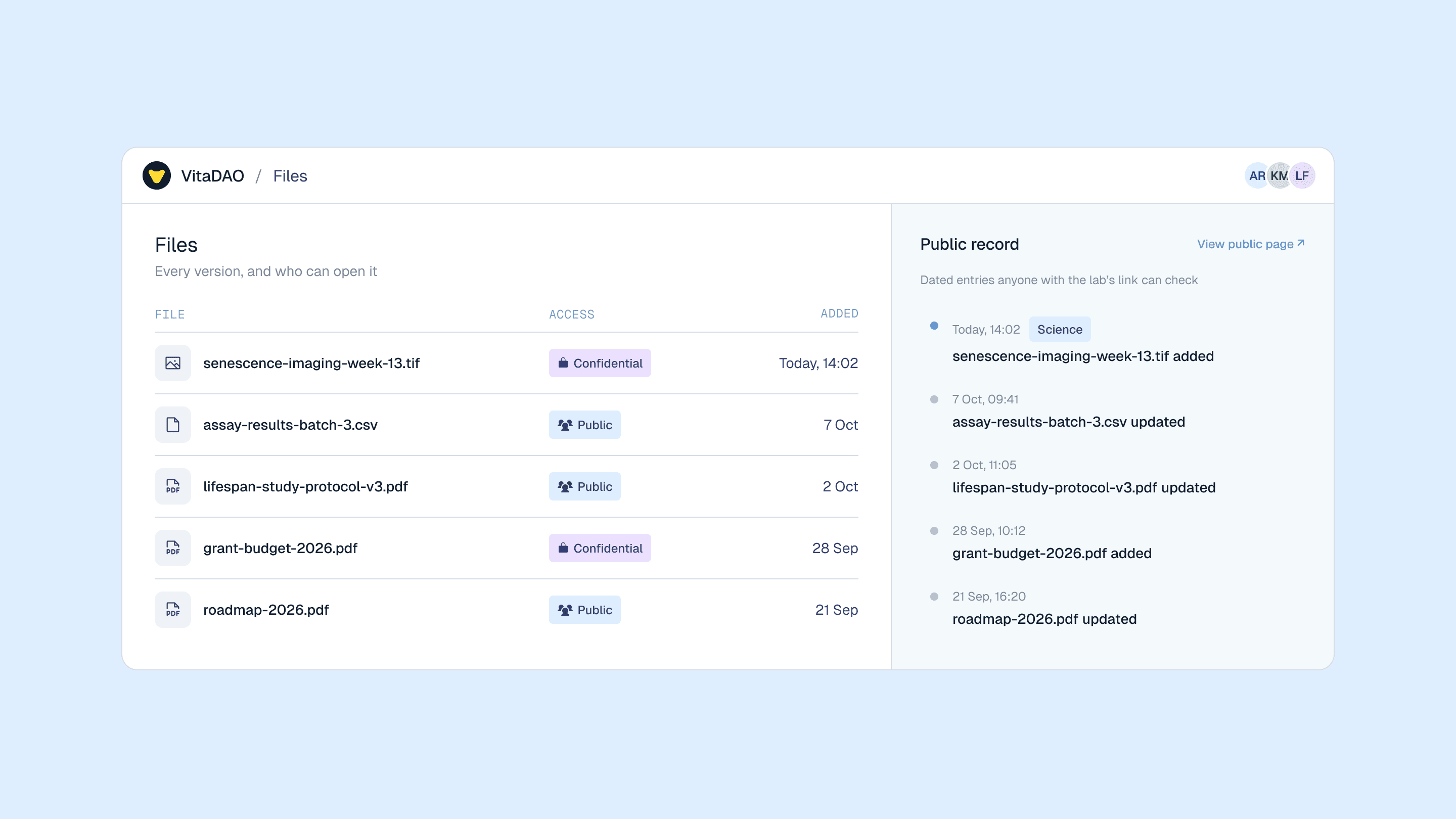
Two surfaces, one record
A confidential workspace and a public page for the same Lab
How the trail builds itself
Molecule Labs records each upload as it happens, so nobody on the team has to keep a separate log.
Upload a file to the Lab
Molecule Labs records the file's unique identifier, the time it was uploaded and the member who uploaded it.
Upload a new version
Uploading the file again creates a new version, and the file's page lists every earlier version with the date and who made it.
Change who has access
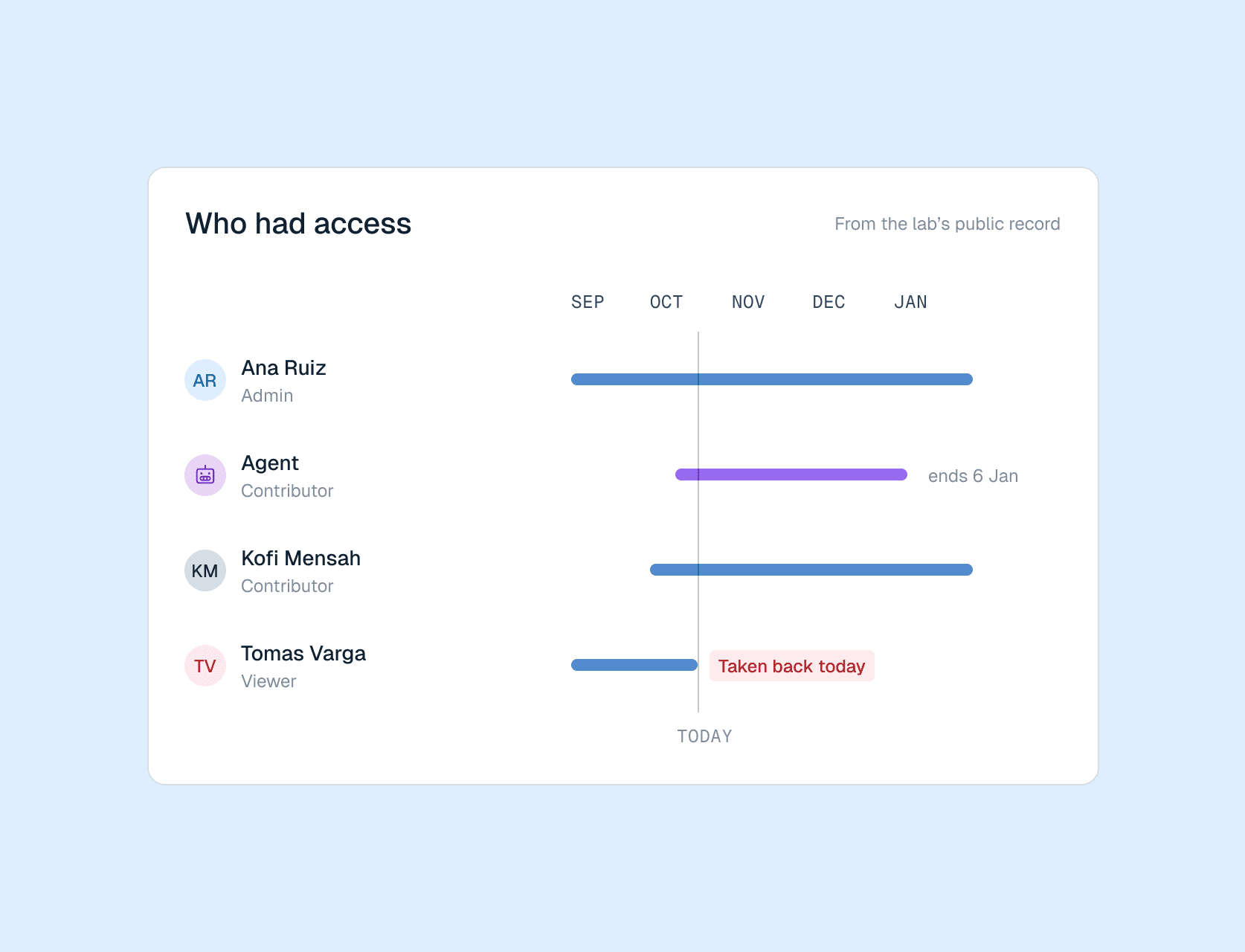
Every role change, including adding or removing a member, is recorded with the time it happened.
Read the history
The Lab's activity feed lists each change to its files in order, so the history is ready when someone asks for it.
What a research audit trail is made of
Each part of the record is captured while your team works in the Lab, accumulating while the work happens.
A unique identifier for every version
Each version of a file carries a content hash, a fingerprint computed from the file's contents. Track how a document grows, changes, and never lose old information.
A timestamp and version number
Each version records when it was uploaded and which version number it became, so the order in which things happened is part of the record.
A history of who had access
Access is granted and removed explicitly, and every role given or taken back is recorded with its date, so you can show who could open the Lab's files at a given time as well as what each file contained.
A record you can read from your own systems
The same history is available through the Labs API, so your team can pull it into the systems it already reports from and keep its own copy.
Who had access
Various levels of access